Data Flows
These public data flow diagrams show the most common ServiceNow and Box interaction patterns.
- Document Upload
- Preview
- Folder Creation
- Metadata Sync
- Box Sign
- Box Doc Gen
Document Upload
A ServiceNow user uploads a document from a record, and the content is saved in the associated Box folder.
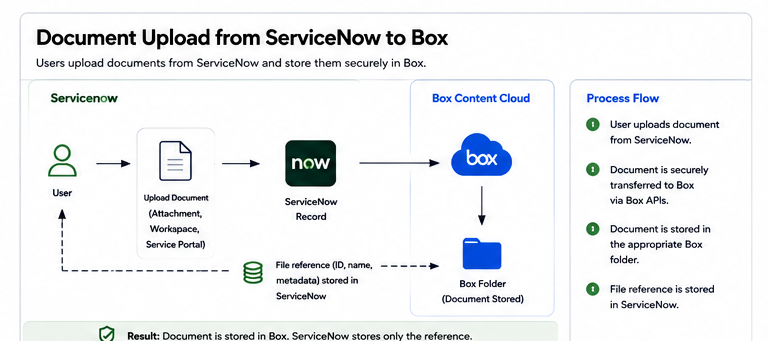
Value: Content stays governed in Box while ServiceNow remains the process interface.
Document Preview
A ServiceNow user previews Box content from a case, request, or record without downloading the file.
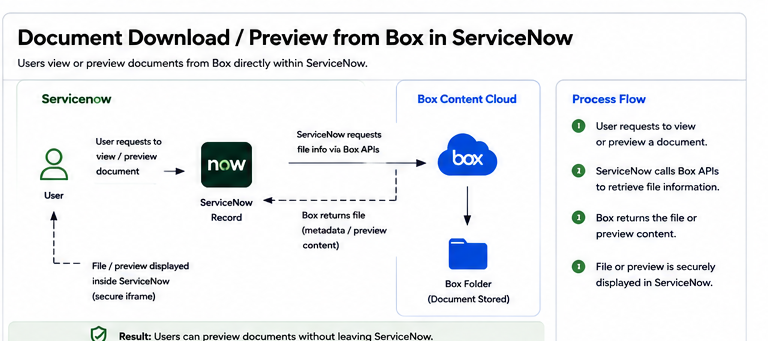
Value: Users can review files in context while reducing unnecessary downloads.
Automatic Folder Creation
When a ServiceNow record is created, the solution can create or locate the appropriate Box folder and associate it with the record.
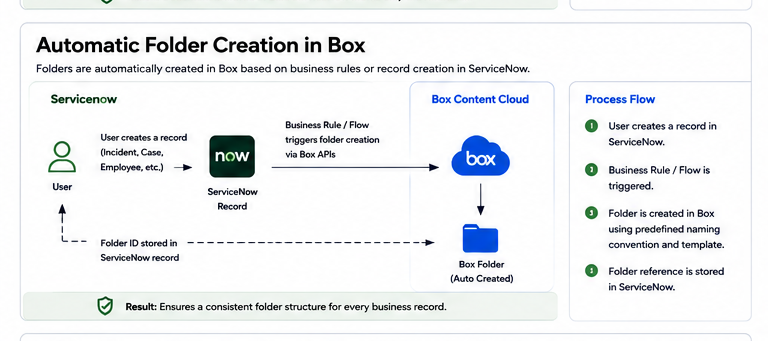
Value: Folder structures stay consistent across departments and record types.
Metadata Synchronization
Selected ServiceNow fields can be synchronized to Box metadata.
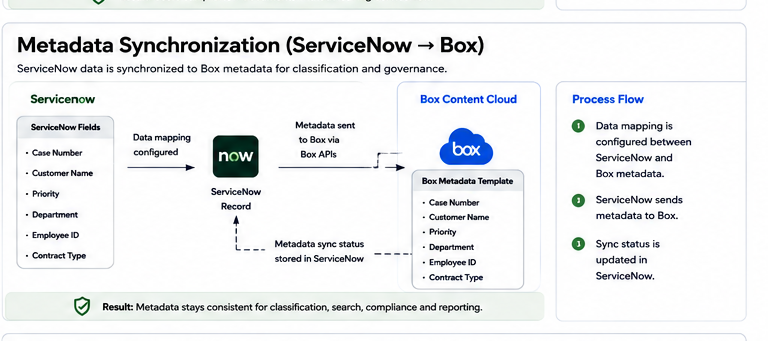
Value: Box content becomes easier to search, classify, govern, and report on.
Box Sign
A ServiceNow user initiates a signature request, and the completed document can be stored back in Box.
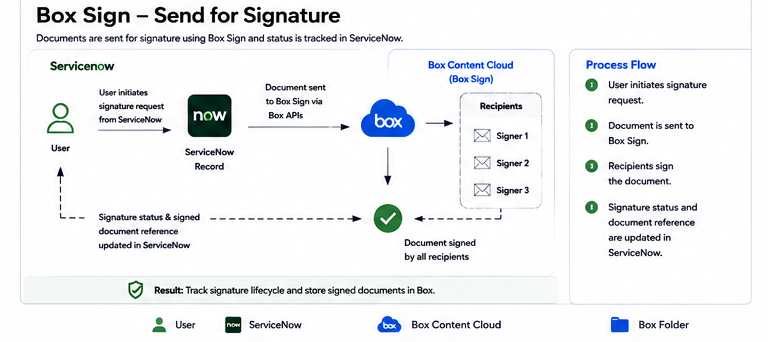
Value: Signature workflows are launched from the business process instead of a separate document system.
Box Doc Gen
ServiceNow record data can populate a document template and save the generated document to Box.
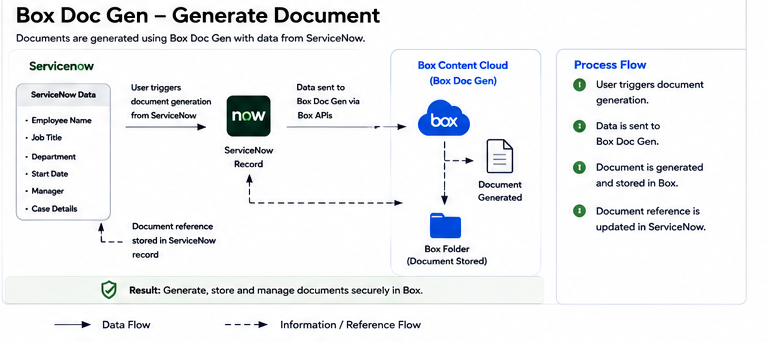
Value: Teams can generate consistent documents from ServiceNow data and store them in the correct governed folder.